7 Best Free Vimeo Alternatives in 2026 (Actually Free, No Tricks)

Vimeo's February 2026 restructuring hit legacy users with price increases up to 2,400%. So you searched for a free alternative, and every result tried to sell you a $20/month plan with a 14-day trial. This guide is different. Every free Vimeo alternative listed here has a permanent free tier or is open-source, and we'll tell you exactly where each one runs out of road.
A quick disclosure: Livid publishes this guide, and Livid is one of the platforms reviewed. We've done our best to be honest about every option, including our own limitations. You'll see exactly where our free plan falls short, because that's the only way a comparison like this is actually useful to you.
If you've already decided to leave Vimeo and want the full picture of paid alternatives too, our complete Vimeo alternatives guide covers that ground. This article is specifically for people who need free, and who are tired of being tricked into thinking "free trial" means "free."
What "Free" Actually Gets You on Vimeo Right Now
Let's be clear: Vimeo does have a free tier in 2026. New signups can access a $0 plan. That's a fact, and we won't pretend otherwise.
But context matters. Bending Spoons acquired Vimeo in 2025 and immediately began restructuring. Legacy Plus subscribers ($7/month) were force-migrated to the Professional plan at $33.37/month, a 670% increase. Some legacy users saw hikes as steep as 2,400%. Bending Spoons also laid off roughly 75% of Vimeo's staff.
The free tier that exists today comes with real limitations. You get basic uploading and sharing, but storage is capped at 1GB, the Vimeo branding stays on your player, and you're missing features like password protection, custom player colors, and advanced privacy controls. More importantly, the plan didn't exist in this form a year ago, and further changes should be expected given Bending Spoons' track record of aggressive monetization across their acquisitions.
If you're a small business that Vimeo flagged for "commercial use," you may have already been locked out of lower tiers entirely and pushed toward enterprise pricing. This is a well-documented frustration in the Vimeo community, and it's one of the biggest reasons people are looking for exits.
The bottom line: Vimeo's free tier exists on paper, but treating it as a reliable long-term foundation for your video hosting is risky.
What to Look For in a Genuinely Free Video Host
Before we get to the list, here's how we filtered. We excluded any platform that doesn't meet all five of these criteria:
1. Permanent free tier, no credit card required. If you need a credit card to sign up, it's not free. If the "free plan" expires after 14 or 30 days, it's a trial. We cut both.
2. Ad-free playback, or a clearly disclosed ad model. Free video hosting without ads is rare. If a platform runs ads, we say so upfront. No burying it in a footnote.
3. An embeddable player. If you can't put the video on your own website, it's a social platform, not a hosting tool.
4. Reasonable storage and bandwidth for a small creator or business. "Reasonable" means you can host at least a handful of videos without hitting a wall on day one.
5. No forced upgrade cliff. If core features work on the free plan today but get paywalled tomorrow with no warning, that's the exact problem people are fleeing Vimeo over. We gave preference to platforms with stable, well-documented free tiers.
Every "free alternative" article in the current search results violates at least one of these criteria. Most list Wistia (free trial, not a free plan), SproutVideo (also a trial), or Brightcove (an enterprise product). We didn't include any of them.
The 7 Best Free Vimeo Alternatives, Ranked
1. Livid
One-line verdict: The cleanest free-to-paid path for people who want ad-free hosting on their own site.
Best for: Portfolio sites, product demos, small business websites.
| Feature | Free Tier |
|---|---|
| Storage | 1GB |
| Bandwidth | Not stated |
| Ads | None |
| Player Branding | Livid logo included |
| Embed Support | Yes, full |
| Password Protection | No (Pro) |
| Credit Card Required | No |
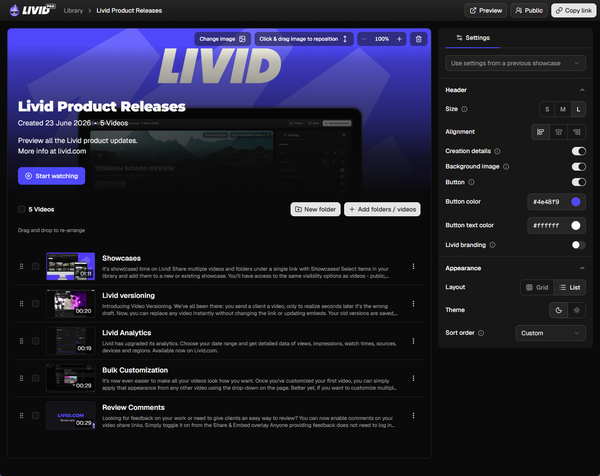
Key strengths: Livid's free tier gives you ad-free video hosting with full embedding support, video analytics, time-stamped comments, the ability to swap a video file while keeping the same link, and bulk import from Vimeo. The player is clean and fast. Signing up takes about 30 seconds with no credit card.
Livid is built by industry veterans hailing from StreamYard, the team that built one of the most widely used live-streaming tools before Bending Spoons acquired it. That history is exactly why Livid exists: they watched what happened to StreamYard and Vimeo firsthand and built the alternative they wished existed. The company has $10M in backing, which matters when you're choosing a platform you don't want to disappear or get acquired and gutted in 18 months.
Key limitations: 1GB of storage on free is tight. That's roughly 10-15 minutes of HD video, depending on compression. You don't get password protection, unlisted sharing, player customization, watermark removal, or logo upload unless you upgrade to Pro.
The catch: 1GB fills up fast if you're hosting anything beyond a few short clips. For most real-world use cases, you'll be looking at the $10/month Pro plan within a few weeks. That said, the free tier is genuinely useful for testing the platform and hosting a small number of videos on your site permanently.
2. PeerTube
One-line verdict: The only truly free, open-source video hosting with no corporate landlord.
Best for: Developers, self-hosters, privacy advocates, anyone who never wants to depend on a company's pricing decisions again.
| Feature | Free Tier |
|---|---|
| Storage | Unlimited (your server) |
| Bandwidth | Unlimited (your server + P2P) |
| Ads | None |
| Player Branding | Fully customizable |
| Embed Support | Yes |
| Password Protection | Yes |
| Credit Card Required | No |
Key strengths: PeerTube is fully open-source, federated, and free forever because you host it yourself. There's no company that can raise prices on you. The player is customizable, embeddable, and ad-free. Federation means your instance can connect to others, distributing bandwidth through peer-to-peer technology. You also get full privacy controls, including password-protected videos and unlisted links.
If you're comfortable spinning up a server on a VPS provider, PeerTube gives you more control than any hosted platform ever will. Several public instances also allow free signups if you don't want to self-host, though those come with their own storage limits and moderation policies.
Key limitations: You need to know how to run a server. Or at minimum, you need to be comfortable following a setup guide. There's no support team to call. Updates, security patches, and storage management are on you.
The catch: "Free" is misleading if you count server costs. A basic VPS to run PeerTube costs $5-15/month. The software is free; the infrastructure isn't. If you're not technical, this isn't for you. If you are, it's the most powerful option on this list.
3. Mave
One-line verdict: EU-hosted, privacy-first video hosting with a legitimately useful free tier.
Best for: European creators and businesses that need GDPR compliance baked in, course creators who want clean embedding.
| Feature | Free Tier |
|---|---|
| Storage | 10GB |
| Bandwidth | 50GB/month |
| Ads | None |
| Player Branding | Mave branding on free |
| Embed Support | Yes |
| Password Protection | No (paid) |
| Credit Card Required | No |
Key strengths: Mave stands out for two reasons: it's hosted in the EU with strong privacy defaults, and its free tier is genuinely generous at 10GB of storage. The player is clean, fast, and embeddable. If you're running a business in Europe and GDPR compliance is keeping you up at night, Mave handles that natively. It also supports chapters, subtitles, and basic analytics on free.
Key limitations: Bandwidth is capped at 50GB/month on free. If you have a video that goes mildly viral or you're embedding on a high-traffic page, you'll hit that wall. Player customization and password protection are locked behind paid plans.
The catch: 50GB of bandwidth sounds like a lot until a single popular blog post drives a few thousand views of an embedded video. For low-traffic sites, it's fine. For anything with real audience scale, you'll outgrow it quickly. The paid plans are also relatively expensive compared to alternatives like Livid.
4. YouTube (Unlisted)

One-line verdict: Unlimited free storage and bandwidth, but you pay with ads and loss of control.
Best for: Personal projects, internal team videos (unlisted), anyone who doesn't mind ads and doesn't need brand control.
| Feature | Free Tier |
|---|---|
| Storage | Unlimited |
| Bandwidth | Unlimited |
| Ads | Yes (on embeds and watch pages) |
| Player Branding | YouTube branding, not customizable |
| Embed Support | Yes |
| Password Protection | No (unlisted links only) |
| Credit Card Required | No |
Key strengths: YouTube gives you unlimited storage and unlimited bandwidth for free. Nothing else on this list comes close to that raw capacity. If you're hosting personal project videos or internal walkthroughs that you share via unlisted links, it works fine. The embed player is universally recognized, and the CDN is the fastest in the world.
Key limitations: Ads will appear on your embeds. YouTube's branding is permanent: the logo, the recommended videos at the end, the "Watch on YouTube" link. You can't password-protect anything. You can't customize the player. YouTube's algorithm decides what gets recommended alongside your content, and you have zero say in it.
The catch: If you're embedding YouTube videos on a business website, you're sending your visitors to YouTube's ecosystem. That "related videos" panel at the end of playback might show your competitor's content. For personal use, it's unbeatable on raw features. For professional use, it actively works against you.
5. Streamable
One-line verdict: Dead-simple video hosting for short clips with no signup friction.
Best for: Quick sharing, short product clips, social media drafts, forum posts.
| Feature | Free Tier |
|---|---|
| Storage | Limited (per-video, not cumulative) |
| Bandwidth | Limited (throttled on free) |
| Ads | Yes (on Streamable pages) |
| Player Branding | Streamable branding |
| Embed Support | Yes |
| Password Protection | No |
| Credit Card Required | No |
Key strengths: Streamable is the fastest way to get a video hosted and shareable. Upload, get a link, embed it. No account required for basic uploads. The player is clean on embeds (ads appear on the Streamable watch page, not in embedded players in most cases). For short-form clips under 10 minutes, it's frictionless.
Key limitations: Videos on free accounts are limited in length and resolution. Free-tier videos can be removed after a period of inactivity. There's no real library management, no analytics, and no privacy controls. It's designed for ephemeral sharing, not permanent hosting.
The catch: Streamable isn't built for long-term hosting. Your videos can be deleted if they don't get views, and the free tier has been progressively restricted over the years. Don't use it as your primary host for anything you can't afford to lose.
6. MediaCMS
One-line verdict: A lesser-known open-source option that's easier to deploy than PeerTube.
Best for: Developers who want a self-hosted YouTube-like platform, organizations building internal video libraries.
| Feature | Free Tier |
|---|---|
| Storage | Unlimited (your server) |
| Bandwidth | Unlimited (your server) |
| Ads | None |
| Player Branding | Fully customizable |
| Embed Support | Yes |
| Password Protection | Yes |
| Credit Card Required | No |
Key strengths: MediaCMS is an open-source, Django-based video hosting CMS. It's less well-known than PeerTube, but it's arguably more approachable for developers already working in the Python/Django ecosystem. It supports transcoding, categories, playlists, and member management out of the box. The admin interface is more intuitive than PeerTube's, and it was originally developed for a modern media organization, so the UX leans more "video CMS" than "decentralized social network."
Key limitations: Smaller community than PeerTube, fewer plugins, and less documentation. No federation support. You're entirely responsible for your own infrastructure, scaling, and CDN configuration.
The catch: Same as PeerTube: "free software" still requires paid infrastructure. The community is smaller, so if you get stuck, you may be reading source code instead of forum answers. Best suited for teams with a developer on staff.
7. Dailymotion
One-line verdict: A YouTube-like platform with a partner program and fewer restrictions on content types.
Best for: Creators who want discoverability on a platform with less competition than YouTube, and don't mind ads.
| Feature | Free Tier |
|---|---|
| Storage | Unlimited (with partner approval) |
| Bandwidth | Unlimited |
| Ads | Yes |
| Player Branding | Dailymotion branding |
| Embed Support | Yes |
| Password Protection | No |
| Credit Card Required | No |
Key strengths: Dailymotion offers free, unlimited hosting for approved partners, with a revenue-sharing model similar to YouTube's. The platform gets less traffic than YouTube, which can actually work in your favor for discoverability in certain niches. The embed player is functional and widely compatible. The Player API allows some customization for developers willing to write code.
Key limitations: Ad-supported, period. The platform's audience is significantly smaller than YouTube's. The upload approval process can be slow. Player customization without the API is minimal. Analytics are basic compared to dedicated hosting tools.
The catch: Dailymotion's relevance has declined significantly in English-speaking markets. If your audience is primarily in the US or UK, your embedded Dailymotion player might look unfamiliar, which can subtly undermine credibility. It's a stronger option if your audience is in Europe or the Middle East.
Free Plan Comparison Table
| Platform | Permanent Free Tier | Storage | Bandwidth | Ad-Free | Custom Player | Embed Support | Password Protection | Credit Card Required | Best For |
|---|---|---|---|---|---|---|---|---|---|
| Vimeo* | Yes | 1GB | Not stated | Yes | No (paid) | Yes | No (paid) | No | Uncertain |
| Livid | Yes | 1GB | Not stated | Yes | No (Pro) | Yes | No (Pro) | No | Portfolios, product demos |
| PeerTube | Yes (self-hosted) | Unlimited | Unlimited | Yes | Yes | Yes | Yes | No | Developers, privacy advocates |
| Mave | Yes | 10GB | 50GB/mo | Yes | No (paid) | Yes | No (paid) | No | EU creators, GDPR needs |
| YouTube | Yes | Unlimited | Unlimited | No | No | Yes | No | No | Personal projects |
| Streamable | Yes | Limited | Throttled | Partial | No | Yes | No | No | Quick clip sharing |
| MediaCMS | Yes (self-hosted) | Unlimited | Unlimited | Yes | Yes | Yes | Yes | No | Dev teams, internal video |
| Dailymotion | Yes (partner) | Unlimited | Unlimited | No | Limited | Yes | No | No | Global content creators |
*Vimeo's free tier is marked with an asterisk because its feature set and availability have changed multiple times since the Bending Spoons acquisition. It exists today, but its long-term stability is uncertain.
The Catch With Each One (Honest Breakdown)
Here's what will frustrate you about each free tier in three months. We're including ourselves.
Livid: 1GB of storage means you'll host maybe 5-8 short videos before you're out of space. The watermark stays on the player, you can't password-protect videos, and you can't customize the player. For a portfolio site with a few videos, it works. For anything more, you'll need the $10/month Pro plan.
PeerTube: You'll spend more time on server administration than video creation. Transcoding eats CPU. Storage costs add up. If your instance goes down at 2am, that's your problem. Federation is a cool concept, but in practice, discoverability across instances is inconsistent.
Mave: 50GB/month bandwidth sounds generous until you do the math. A single 500MB video viewed 100 times uses 50GB. One moderately popular blog post and you're done for the month. Upgrading to paid plans gets expensive quickly compared to other hosted options.
YouTube: Those end-screen recommendations will send your website visitors down a YouTube rabbit hole instead of keeping them on your site. Ads will play before your content, and you have zero control over which ads. You can't remove YouTube branding from the player. For business use, you're essentially advertising YouTube on your own website.
Streamable: Your videos might just disappear. Free-tier videos that don't receive views are subject to deletion. There's no real library management, no way to organize content, and no analytics. It's a clipboard, not a home.
MediaCMS: The community is small enough that you might be the only person who's encountered your specific bug. Documentation has gaps. If you don't have Django experience, the learning curve is steep.
Dailymotion: The platform's declining relevance in English-speaking markets means an embedded Dailymotion player can look dated or unfamiliar to your visitors. Revenue sharing requires partner approval, which isn't guaranteed.
When Free Stops Being Enough (And What to Do About It)
Free tiers are great for starting out. They stop working when any of these things happen:
You need more than a handful of videos. At 1GB (Livid or Vimeo free), you'll hit the ceiling after a few product demos or portfolio pieces. If you're a small business with a product line or a creative professional with a growing portfolio, storage limits become a real blocker within the first month.
You're sharing work with clients. The moment you need to send a password-protected link to a client for review, most free tiers fail you. Password protection, unlisted sharing, and privacy controls are almost universally locked behind paid plans. If you're running a paid community or membership site, you'll need these even sooner.
Your brand matters. A watermark from another company on your video player is fine for a personal blog. It's not fine on a SaaS product page or a client-facing portfolio. Player customization, watermark removal, and custom colors are paid features everywhere.
Your traffic grows. Bandwidth limits that felt generous at 50 views/month become a problem at 5,000.
At these inflection points, here's what the paid landscape looks like: Livid Pro is $10/month for 2TB of storage, 3TB of bandwidth, ad-free playback, full player customization, password protection, unlisted sharing, and watermark removal. Vimeo's Creator plan is also $10/month, but it caps private embeds at 30GB and doesn't include player branding customization. Vimeo's Professional plan, which does include branding controls, is $70/month.
That's a 7x price difference for comparable features. We'll let you draw your own conclusions.
How to Migrate From Vimeo for Free (Step-by-Step)
This is the section every other "Vimeo alternative" article skips entirely. If you're leaving Vimeo, you need a plan, or you'll lose videos, break embeds, and hurt your SEO.
Step 1: Export your entire Vimeo library
Use LOVE (Livid's free bulk-export tool) to download every video from your Vimeo account, including folder structure and metadata. LOVE is free, doesn't require a Livid account, and works even if you're on Vimeo's free plan. You don't have to use Livid as your next host to use it.
The alternative is downloading videos one at a time from Vimeo's settings page. If you have more than 10 videos, that's hours of clicking you don't need to do.
Step 2: Preserve your folder structure and metadata
If transferring to Livid, LOVE retains your folder organization, video titles, and descriptions during export. This means you won't have to manually recreate your library structure.
Step 3: Re-embed your videos
Here's the part nobody warns you about: every Vimeo embed on your website will break when you switch hosts. The embed codes point to Vimeo's servers. When your content is no longer there, those embeds show an error or a blank player.
Before you cancel Vimeo, audit every page where you've embedded a video. Search your site's content for "vimeo.com" or "player.vimeo" to find them all. Then replace each embed code with your new host's embed code. If you're moving to Livid, the embedding tools generate the new codes, and a WordPress plugin can help with bulk replacement.
Step 4: Handle the SEO impact
If your Vimeo video URLs have been indexed by Google (especially if you had public videos with SEO metadata), switching hosts means those URLs will eventually 404. This is unavoidable with any migration.
Minimize the impact by: making sure your new video pages have the same titles and descriptions, embedding on the same pages so Google re-indexes the updated content, and submitting an updated sitemap to Google Search Console. The videos themselves don't carry SEO weight, but the pages they're embedded on do.
Step 5: Know about Livid's Vimeo annual plan credit
If you're stuck paying out the remainder of a Vimeo annual plan, Livid offers a credit toward your Livid subscription (sometimes called the "divorce bill"). Check the pricing page for current details.
For a more detailed walkthrough of the full cancellation process, including platform-specific steps for iOS, Android, and OTT, read our guide on how to cancel Vimeo without losing your videos.
FAQs
Is there a truly free Vimeo alternative?
Yes. Livid, PeerTube, and Mave all offer permanent free tiers with no credit card required. Livid gives you 1GB of ad-free hosting with full embed support. PeerTube is open-source and free to self-host. Mave offers 10GB of storage with 50GB/month bandwidth. Each has real limitations, but none will expire or convert to a paid trial.
Does Vimeo still have a free plan in 2026?
Yes, Vimeo currently offers a $0 free tier for new signups. However, the plan's feature set and availability have shifted multiple times since the Bending Spoons acquisition in 2025. Legacy users on older plans were force-migrated to more expensive tiers, and further changes should be expected. It's not a stable foundation for long-term hosting.
What is the best free video hosting without ads?
For hosted solutions, Livid's free tier provides ad-free video hosting with embedding and analytics, capped at 1GB. For self-hosted, PeerTube is completely ad-free with no storage limits beyond your own server. YouTube is free with unlimited storage, but ads are non-negotiable.
Can I migrate from Vimeo without paying?
Yes. LOVE is a free bulk-export tool that downloads your entire Vimeo library, including folder structure and metadata. It works without a Livid account and without a paid Vimeo plan. You can use it even if you're moving to a platform other than Livid.
What happens to my Vimeo embeds if I switch?
They break. Every embed code on your website points to Vimeo's servers. Once your videos are removed, those embeds will show errors or blank players. You need to replace each embed code with your new host's code before or immediately after canceling. Search your site for "vimeo.com" to find all embedded videos.
Is PeerTube a good Vimeo alternative?
For technical users, absolutely. PeerTube is open-source, fully customizable, ad-free, and free from corporate pricing decisions. The trade-off is that you need to host it yourself, which requires server administration knowledge and ongoing infrastructure costs of $5-15/month. If you're not comfortable managing a Linux server, PeerTube isn't the right fit.
You've read the honest breakdown. Here's where to go from here:
If you want to try free hosting right now: Start with Livid's free plan. No credit card, no ads, no commitment. 1GB of storage with full embedding and analytics.
If you've outgrown free and need 2TB of ad-free hosting with full player customization, password protection, and watermark removal for $10/month, that's there too.
If you have videos stuck on Vimeo: Download the free LOVE migration tool to export your entire library. It works whether you choose Livid or any other host. No account required, no strings attached.