Best Vimeo Alternatives for Course Creators (2026)


Vimeo's 2026 plan restructure hit course creators hardest. The $10 Creator plan caps private embeds at 30GB, roughly 15 hours of HD lessons, and strips out password protection entirely. The $70 Professional plan gets you those features back, but if Vimeo flags your account as a business (and selling courses qualifies), you'll be locked out of self-serve plans and pushed to enterprise pricing starting above $500/month.
That's not a hypothetical scenario. It's happening right now to solo educators who built their entire course delivery around Vimeo embeds.
This guide is the only comparison of the best vimeo alternatives for course creators that exposes the full financial trap, walks you through the actual math at different student scales, and gives you a concrete migration plan instead of a vague "switching is easy!" paragraph. We also include platform-specific embedding instructions for Teachable, Kajabi, Thinkific, and WordPress, because nobody else bothers to.
A quick disclosure: Livid publishes this guide, and Livid is one of the platforms reviewed below. We've been transparent about our own limitations, including where competitors like Spotlightr beat us. If you want the broader picture beyond course-specific needs, our full list of Vimeo alternatives covers that.
Why Course Creators Are Leaving Vimeo in 2026
Bending Spoons acquired Vimeo in 2025 and immediately followed the same playbook they used with StreamYard: gut the staff (roughly 75% laid off), restructure pricing, and squeeze more revenue from the existing user base.
For course creators, the new plan structure is particularly brutal. The Creator plan at $10/month sounds affordable until you realize the 30GB private embed cap means your students hit a wall after about 15 hours of 1080p content. Most substantial courses blow past that in the first module. There's no password protection on this tier either, and no player customization, which means you can't even remove Vimeo's branding from your lessons.
The Professional plan at $70/month is the minimum viable option for actually delivering a course. But for legacy users who were paying $7/month on Plus or $20/month on Pro, that's a 180-670% price increase depending on your old plan. And these aren't optional upgrades. Legacy plans are being force-migrated at renewal, so your next billing cycle might come with a very unpleasant surprise.
The pattern here isn't subtle. Bending Spoons has done this before. They acquire products with loyal user bases, slash operating costs, and restructure pricing to maximize short-term revenue. If you're building a business on top of a platform running this playbook, the pricing you see today is likely the lowest it will ever be.
The Business Lockout Rule Nobody Warns You About
This is the part that no other comparison article explains properly, and it's the part that matters most if you sell courses.
Vimeo evaluates accounts for commercial signals. If your account is associated with a business domain, if your videos are embedded on a site that sells something, or if your usage patterns suggest organizational use, Vimeo can flag your account as a business. Once flagged, self-serve plans become inaccessible. You're pushed to Studio, Production, or Enterprise tiers, with pricing that starts above $500/month and can climb to 2,400% of what you were paying.
Here's the problem: selling a $49 online course absolutely qualifies as commercial use. You're a solo educator running a Teachable site, but to Vimeo's system, you look like a business embedding private videos at scale. And you are, technically. That's the whole point of what you're doing.
There's no clear public documentation on exactly what triggers the flag. Some creators report being reclassified after embedding on a custom domain. Others after exceeding certain viewer thresholds. The uncertainty is almost worse than the pricing itself, because you can't plan around a rule you can't see.
If you're currently on a Vimeo Professional plan at $70/month and selling courses, you should assume this risk is real. One account review could move your video hosting bill from $840/year to $6,000+ overnight, with no self-serve way to appeal.
What Course Creators Actually Need From a Video Host

Photo by Samantha Borges on Unsplash
Before we get to the platform list, let's establish what actually matters for course delivery. These are the eight criteria we're evaluating every alternative against:
1. Domain-restricted embedding. This is more important than password protection. Domain locking ensures your videos only play on your course platform's domain, so even if someone copies the embed code, it won't work on another site.
2. LMS and course platform embed compatibility. Your video host needs to work inside Teachable, Kajabi, Thinkific, WordPress, or wherever you deliver lessons. That means clean iframe or oEmbed support without weird rendering issues.
3. Predictable pricing without bandwidth traps. You need to know what your bill will be when your course goes viral, not discover a $2,000 overage charge.
4. Player customization. Your video player should match your course branding. Vimeo's logo on your premium course lessons undermines the experience you've built.
5. Password protection. A basic security layer that prevents casual sharing of direct video links.
6. Video analytics. At minimum, you need view counts and engagement data to understand which lessons students watch and where they drop off.
7. Migration tooling. If you're leaving Vimeo, you need a way to export your library without spending a week downloading videos one by one.
8. Platform stability and longevity. After the Bending Spoons experience, this matters. Who owns the company? What's their business model? Are they likely to exist in three years?
8 Best Vimeo Alternatives for Course Creators, Ranked
Here's the comparison table first, then we'll break down each platform individually.
| Platform | Starting Price | Storage | Bandwidth Model | Domain Locking | LMS Embed Support | Player Customization | Migration Tool |
|---|---|---|---|---|---|---|---|
| Livid | $10/mo | 2TB | 3TB included, $0.01/GB over | Yes | iframe/oEmbed | Full | LOVE (free) |
| Spotlightr | $29/mo | Varies | Included | Yes + DRM | iframe | Full | Manual |
| Bunny Stream | ~$1/mo + usage | Pay-as-you-go | $0.01/min encoding + delivery | Yes | iframe/direct | Moderate | API |
| Wistia | $19/mo | Varies by plan | Included | Yes | iframe/oEmbed | Full | Manual |
| SproutVideo | $10/mo | Varies | Included | Yes | iframe | Full | Manual |
| Dacast | $39/mo | Varies | Bandwidth caps | Yes | iframe | Moderate | Manual |
| EzyCourse | $35/mo | Built-in | Included | N/A (built-in) | Native | Moderate | Manual |
| Uscreen | $149/mo | Built-in | Included | N/A (built-in) | Native | Full | Manual |
Note: Competitor pricing is based on publicly available information at time of writing. Check each platform's site for current pricing, as these change frequently.
1. Livid: Best Value for Most Course Creators
This is our product, so take this with the appropriate grain of salt. We built Livid because we lived through the Bending Spoons acquisition firsthand (our founding team built StreamYard) and watched what happens when a platform you depend on gets gutted.
Pricing: $10/month for Pro, which includes 2TB storage and 3TB bandwidth. Overages are $0.01 per GB, not a forced plan upgrade. See Livid pricing for full details.
Domain locking: Yes. You can set domain controls to restrict which websites can play your videos, so lessons only work on your Teachable, Kajabi, or WordPress domain.
Player customization: You can fully customize your video player to match your course branding, including colors, controls, and removing Livid branding.
LMS embed support: Standard iframe and oEmbed work everywhere. No platform-specific integrations, but the universal approach means it works with any LMS that accepts embeds.
Analytics: View tracking and engagement data. This is standard video analytics, not course-specific completion tracking or student-level progress reports.
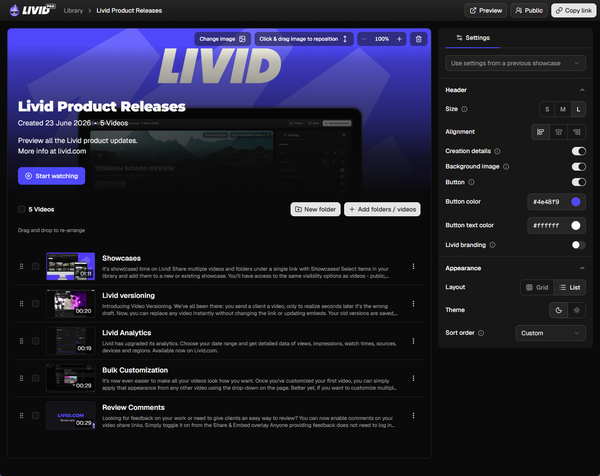
Migration: LOVE, the Livid One-click Video Exporter, transfers your entire Vimeo library directly into Livid with folder structure, metadata, sharing settings, and passwords preserved. It's free and doesn't require a paid Livid account.
Standout feature: The LOVE migration tool is genuinely unique. No other platform offers a one-click Vimeo import that preserves your organizational structure.
Biggest limitation: No DRM, no HLS encryption, no watermarking. If you need advanced anti-piracy beyond domain restriction and password protection, Spotlightr is the better choice. Also, storage caps at 2TB on Pro with no self-serve upgrade option currently.
2. Spotlightr: Best for Advanced Anti-Piracy and DRM
If your biggest concern is piracy, specifically if your course content is high-value enough that people actively try to rip it, Spotlightr is built for this use case.
Pricing: Four tiers. Light is $13/month (50GB storage, 200GB bandwidth/month, 25 video cap). Plus is $21/month (200GB storage, 600GB bandwidth/month, unlimited videos). Premium is $55/month (600GB storage, 2000GB bandwidth/month, unlimited videos, plus in-video quizzes and advanced analytics). Scale is $163/month (2000GB storage, 6000GB bandwidth/month, 20 team accounts). All plans save 15-18% with annual billing.
Domain locking: Yes, and they go further with full Widevine and FairPlay DRM, dynamic watermarking, and IP-based restrictions, plus HLS encryption to prevent downloads and piracy.
Player customization: Full control over player appearance, including clickable in-video CTAs, lead capture forms, and custom thumbnails.
LMS embed support: Works via iframe with major course platforms, with a dedicated WordPress plugin and LearnDash integration on the Plus tier and above.
Standout feature: The DRM integration. Spotlightr is one of the few video hosts that offers browser-level DRM without requiring you to set up your own Widevine/FairPlay implementation.
Biggest limitation: More expensive than simpler hosts, and the DRM features add complexity. If you're a solo creator with a $49 course, the anti-piracy investment may not match the threat level. The bandwidth caps also bite at scale: the $163/month Scale plan only includes 6TB of bandwidth, so a creator with genuinely high traffic could see overage charges stack up fast. There's no dedicated migration tool for Vimeo libraries either, so you're doing a manual transfer.
3. Bunny Stream: Best for Developers and Technical Creators
Bunny Stream (part of Bunny.net) is a CDN-first video platform with pure usage-based pricing. If you're comfortable with a more technical setup, the economics are hard to beat.
Pricing: Approximately $0.005 per minute of video stored plus delivery costs. A 50-hour library might cost a few dollars per month in storage, with delivery varying by viewership. Check their pricing calculator for exact numbers.
Domain locking: Yes, through referrer-based restrictions.
Player customization: Moderate. You get a functional player with basic customization, but it's not as polished as Livid or Wistia.
LMS embed support: Works via iframe and direct links. No oEmbed support for most course platforms.
Standout feature: True pay-as-you-go pricing. If your course has seasonal enrollment (live launches rather than evergreen), you only pay for what you use.
Biggest limitation: No migration tooling. No built-in password protection (you'd handle this at the LMS level). The interface is more developer-oriented, and setting up domain restrictions requires some technical knowledge. Not ideal if you just want to upload and embed.
4. Wistia: Best for Marketing-Heavy Course Businesses
Wistia is the premium option, built primarily for marketing teams but with features that work well for course creators who treat their content as a marketing funnel.
Pricing: Starts around $19/month, but plans scale up quickly. Check their site for current tier details, as they've restructured pricing recently.
Domain locking: Yes, through domain restriction settings.
Player customization: Excellent. Wistia's player is one of the most polished in the market, with CTAs, email gates, annotation links, and chapter markers.
LMS embed support: Strong iframe and oEmbed support. Well-documented.
Standout feature: The marketing integrations. Email capture within videos, A/B testing thumbnails, and integration with HubSpot, Mailchimp, and similar tools. If your course funnel depends on video-driven lead gen, Wistia is purpose-built for it.
Biggest limitation: Expensive at scale. The per-video or storage-based pricing tiers can climb quickly once you have a full course library. The marketing features are wasted if you just need a private video host.
5. SproutVideo: Strong Privacy Controls
SproutVideo has been around since 2010, which in the video hosting world counts as longevity. They've built a solid reputation specifically around video privacy and security.
Pricing: Starts around $10/month. Check their site for current plan details and storage allocations.
Domain locking: Yes. Domain restriction, IP restriction, and geo-restriction are all available depending on plan tier.
Player customization: Full control including custom colors, logo overlay, and player controls.
LMS embed support: Standard iframe embeds. Works with major course platforms.
Standout feature: The privacy feature depth. Login protection, signed embed codes, and viewer-level analytics if you need to track who watched what.
Biggest limitation: Smaller company, less brand recognition. No dedicated migration tooling for Vimeo imports. Bandwidth limits on lower tiers require careful monitoring.
6. Dacast: Best If You Also Need Live Streaming
If your course includes live workshop components, Q&A sessions, or live cohort calls alongside recorded lessons, Dacast covers both VOD and live streaming in one platform.
Pricing: Starts around $39/month. Check their site for current plans as they offer annual discounts.
Domain locking: Yes, available on higher tiers.
Player customization: Moderate. Functional but not as refined as Wistia or Livid.
LMS embed support: Standard iframe embeds.
Standout feature: Combined live + VOD hosting. You won't need a separate tool for live sessions.
Biggest limitation: The pricing is bandwidth-based with caps, which can get unpredictable at scale. The platform is more enterprise-oriented, and the interface reflects that. Overkill if you're only hosting pre-recorded course content.
7. EzyCourse: Best All-in-One Course + Video Platform
EzyCourse bundles video hosting directly into a course creation platform, eliminating the need for a separate video host entirely.
Pricing: Starts around $35/month for the course platform including built-in video hosting. Check their site for current plans.
Domain locking: Handled natively since videos live inside the platform. Students access through authenticated course login.
Player customization: Moderate. You're working within EzyCourse's player framework.
LMS embed support: Not applicable. EzyCourse is the LMS. Videos are native.
Standout feature: Zero integration complexity. Upload videos, build your course, sell it. No embed codes, no domain restriction configuration, no separate billing.
Biggest limitation: You're locked into EzyCourse as your entire course platform. If you already use Teachable or Kajabi, this isn't a video hosting swap, it's a full platform migration. Less flexibility on video player behavior and fewer advanced hosting features.
8. Uscreen: Best for Membership and Subscription Video Businesses
Uscreen is built for video-first subscription businesses. If your model is an ongoing membership with a growing video library rather than a one-time course sale, this is the fit.
Pricing: Starts around $149/month. This is a premium, all-in-one platform price. Check their site for current details.
Domain locking: Native. Content lives behind authenticated access within the Uscreen platform.
Player customization: Full, including branded apps.
LMS embed support: Not applicable. Uscreen is the delivery platform.
Standout feature: Built-in apps (iOS, Android, Roku, Apple TV). If you want a Netflix-style experience for your membership content, Uscreen is the most complete option.
Biggest limitation: The price. At $149+/month, this only makes sense for established businesses with significant recurring revenue. Massive overkill for a solo creator with a single course.
How to Stop Students Sharing Your Course Videos (Domain Locking Explained)
Password protection is the first thing most course creators think about for video security. It's also the least effective. A shared password spreads through Discord servers and Facebook groups within hours of your course launch.
Domain locking works differently. Instead of protecting the video with a secret your students know, you restrict which websites are allowed to play the video. You set your Teachable domain (e.g., courses.yourbrand.com) as the only authorized domain. If someone copies your embed code and pastes it on their own site, the video refuses to play.
On Livid, you configure this through domain controls in your video embedding settings. You add your authorized domains, and every video on your account respects those rules. It takes about 30 seconds.
What domain locking protects against: Embed theft, unauthorized redistribution of video links, and casual sharing of direct URLs.
What domain locking does not protect against: Screen recording. No technology fully prevents someone from recording their screen while watching your lesson. This is true for every platform, including those with DRM.
HLS encryption (available on platforms like Spotlightr and Bunny Stream) adds another layer. It encrypts the video stream so that someone can't simply inspect the page source and download the raw video file. This prevents casual downloading but, again, doesn't stop screen recording.
Full DRM through Widevine (Chrome, Android) and FairPlay (Safari, iOS) goes further by making screen recording produce a black screen in many cases. Spotlightr offers this, but it adds cost and sometimes introduces playback friction for legitimate students. If your course sells for $2,000 and you're in a market with high piracy rates, DRM makes sense. For a $49 course, domain locking and password protection together are usually enough.
Set realistic expectations. No video protection is absolute. The goal is to make unauthorized sharing inconvenient enough that most people won't bother.
Embedding in Teachable, Kajabi, Thinkific & WordPress
This is the section nobody else writes, and it's the one that saves you three hours of troubleshooting on launch day.
Teachable
Teachable supports oEmbed links in its lesson editor. For most video hosts, including Livid, you paste the video URL directly into the lesson content area, and Teachable auto-detects and renders it. If oEmbed doesn't work for your host, switch to the HTML code block and paste an iframe embed.
Domain locking quirk: Teachable courses live on either yourschool.teachable.com or your custom domain. Make sure your domain restriction in your video host matches whichever domain your students actually see. If you're using a custom domain, lock to that, not to teachable.com.
Kajabi
Kajabi supports custom code blocks where you paste iframe embeds. oEmbed auto-detection is inconsistent in Kajabi's editor, so iframe is the reliable approach.
Domain locking quirk: Kajabi uses subdomains (yoursite.kajabi.com) or custom domains. If you're on a Kajabi subdomain, you may need to whitelist *.kajabi.com or your specific subdomain. Test before going live. On Livid, you'd configure this in your video embedding settings.
Thinkific
Thinkific has a built-in "Multimedia" lesson type that accepts video URLs, plus custom code blocks for iframes. The multimedia block works with oEmbed-compatible hosts.
Domain locking quirk: Similar to Teachable. Courses are served from yoursite.thinkific.com or a custom domain. Match your domain lock to whatever your students see in their browser bar.
WordPress
WordPress is the most flexible. The block editor supports both oEmbed (paste the URL and it auto-embeds) and custom HTML blocks for iframes. Livid's oEmbed and iframe support both work here.
Domain locking quirk: WordPress sites use whatever domain you've configured, so domain locking is straightforward. Just whitelist your site's domain. If you're running a multisite installation, whitelist the specific subdomain or domain for each site that embeds videos.
Migration note: If you're migrating from Vimeo to Livid on WordPress, the WordPress plugin mentioned in Livid's support docs can help with bulk embed updates, replacing old Vimeo embed codes with Livid embeds across your site. More on this in the migration section below.
Total Cost of Ownership: Vimeo vs. Alternatives at Scale
This is where the real comparison lives. Monthly pricing means nothing without bandwidth context. Here's what you'd actually pay for a 50-hour course library at three different student scales.
Assumptions:
- 50 hours of 1080p video content (~75GB total library)
- Average student watches 60% of the library
- Bandwidth per student: ~45GB (50hrs × 1.5GB/hr × 60%)
- Prices are monthly
At 100 Students (4.5TB bandwidth/month)
| Platform | Monthly Cost | Notes |
|---|---|---|
| Vimeo Professional | $70 | Bandwidth included, but business lockout risk |
| Livid | $25 | $10 base + ~$15 overage (1.5TB over 3TB at $0.01/GB) |
| Spotlightr | ~$163 | 6TB of included bandwidth |
| Bunny Stream | ~$10-15 | Usage-based, varies with exact delivery costs |
At 1,000 Students (45TB bandwidth/month)
| Platform | Monthly Cost | Notes |
|---|---|---|
| Vimeo Professional | $70+ or $500+ | High risk of business lockout at this scale |
| Livid | $430 | $10 base + ~$420 overage (42TB over 3TB) |
| Spotlightr | ~$1,963 | $163 base (6TB included) + ~$1,800 overage (36TB over at $0.05/GB) |
| Bunny Stream | ~$100-200 | Pure usage-based, very competitive at scale |
What this tells you: At small scale (100 students), Livid and Bunny Stream are the most cost-effective. At large scale (1,000 students), Bunny Stream's pure usage-based pricing wins on raw cost, though you sacrifice the convenience features. Vimeo is a financial wildcard at every scale because of the business lockout risk.
For most course creators, you're operating somewhere between 100 and 1,000 active students. In that range, Livid's $10/month base plus predictable $0.01/GB overages gives you the clearest cost picture. There's no surprise tier upgrade, no enterprise lockout. You just pay for what you use.
How to Migrate From Vimeo Without Breaking Your Course
"Migration is easy" is what every article says before leaving you to figure it out yourself. Here's the actual step-by-step process.
Step 1: Audit Your Current Vimeo Library
Before you touch anything, document what you have. Open a spreadsheet with these columns: Video Title, Vimeo URL, Embed Location (which lesson page it's on), Privacy Setting (private, password, domain-locked), and Folder.
If you're on WordPress, search your database for vimeo.com and player.vimeo.com to find every embed. On Teachable, Kajabi, or Thinkific, you'll need to click through each lesson manually. Yes, it's tedious. Do it anyway. Missing an embed means a broken lesson that students will find before you do.
Step 2: Export Your Library Using LOVE
LOVE, the Livid One-click Video Exporter, is a free tool that doesn't require a paid Livid account. When you import your Vimeo library directly into Livid using LOVE, it preserves your folder structure, video metadata, sharing settings, and passwords. Your organizational structure transfers intact.
If you just want to download your videos locally (not import into Livid), LOVE can do that too, but note that the local download won't preserve folder structure or metadata. It's a flat file download. The organizational preservation only happens when importing directly into Livid.
For a detailed walkthrough, check our guide on how to cancel Vimeo without losing your videos, which covers the LOVE export process step by step.
Step 3: Re-embed Videos on Your LMS
This is the part that takes the most time. For each lesson in your course, you need to swap the old Vimeo embed code with your new Livid (or other host) embed code.
On WordPress, Livid's WordPress plugin can help bulk-update embed codes across your site, replacing Vimeo embeds with Livid embeds. This saves significant time if you have dozens or hundreds of lessons.
On Teachable, Kajabi, and Thinkific, you'll need to update each lesson manually. Use that spreadsheet from Step 1 to work through them systematically. Copy the new embed code from Livid, open the lesson editor, replace the old Vimeo embed, save.
Pro tip: Don't delete the old Vimeo embeds until you've confirmed the new ones work. Edit in a staging environment if your platform supports it, or do a quick preview check on each lesson before publishing.
Step 4: Test Every Lesson Page
After swapping embeds, open every lesson as a student would see it. Check that videos play, that domain locking is working (try accessing the video URL directly outside your course platform to confirm it's blocked), and that the player styling matches your course design.
Pay special attention to mobile playback. Some embed configurations that work perfectly on desktop have issues on iOS or Android.
Step 5: Deactivate Vimeo
Only after confirming everything works should you cancel your Vimeo subscription. If you're stuck on a Vimeo annual plan, Livid will credit your remaining time. Send us your Vimeo invoice, and we'll apply the balance to your Livid account.
FAQs
Can I use Livid's free plan for a course?
You can use it for testing and building out your course before launch. But for actual student delivery, you'll need Pro at $10/month, which includes password protection, domain controls, and the player customization you need for a professional course experience.
What video quality does the LOVE tool export?
The same quality as shown on Vimeo. In many cases, the exported file is actually smaller than what Vimeo stored, because of more efficient encoding, without any loss in visual quality.
Will my course platform support Livid embeds?
Yes. Standard iframe embeds work in every course platform that allows custom code blocks, which is all of them. oEmbed also works in platforms that support it (WordPress, Teachable). See Livid's video embedding features for details.
What happens if I exceed 3TB bandwidth on Livid?
You pay $0.01 per GB of overage. That's it. No forced plan upgrade, no enterprise lockout, no angry email from a sales team. Your videos keep playing, and you see the overage on your next invoice.
Can I try Livid before committing?
Yes. Free trial, no credit card required. Upload a few course videos, test the embedding on your platform, confirm domain locking works, and decide from there.
If you're a course creator watching Vimeo's pricing spiral and wondering when the next increase hits, the honest answer is: nobody knows, and that uncertainty is the problem. Building your course delivery on a platform running the Bending Spoons playbook means accepting that your costs could jump at any renewal.
Livid offers a free trial with no credit card required. If you're migrating from Vimeo, the free LOVE migration tool transfers your entire library, folders, metadata, passwords, and sharing settings included, directly into Livid. If you're stuck on a Vimeo annual plan, send us the invoice and we'll credit your remaining time. Check Livid pricing for plan details, or just start the free trial and see if it fits. The tool does the hard part for you.