12 Best Vimeo Alternatives in 2026 (Tested & Ranked)

Let's be honest. You're not here because you love Vimeo. You're here because the platform you trusted just got bought by Bending Spoons, the same private equity firm that acquired StreamYard in 2024, fired the team, and hiked prices up to 100%. We know exactly what happens next, because we lived it.
We're all ex-StreamYard, and we built Livid specifically so you'd have somewhere to go. We've also tested every credible Vimeo alternative in 2026 so you don't have to.
A quick disclosure: Livid publishes this guide, and Livid is one of the platforms reviewed. We've done our best to evaluate every option honestly against the same criteria. You'll see where we fall short, too.
Quick Comparison: Which Platform Fits Your Workflow?
| Platform | Best For | Monthly Cost | Storage & Limits | Live Streaming | Migration Tool |
|---|---|---|---|---|---|
|
Livid
Best Value
|
Small Biz / Creators | $10 ($16 monthly) | 2TB (3TB Bandwidth) | No | 1-Click Import |
| Vimeo | Enterprise | $12 ($20 monthly) | 2TB (2TB Bandwidth) | Yes | N/A |
| Wistia | Marketing Teams | $79 | 500 items | No | Manual |
| YouTube | Social Reach | Free | Unlimited | Yes | Manual |
| Dacast | Pro Live Streaming | $39 | 500 GB (2.4TB Bandwidth) | Yes | Manual |
| Uscreen | Membership / Courses | $49 | Varies | Yes | Manual |
| Spotlightr | Content Protection | $13 ($15 monthly) | Varies | No | Manual |
| SproutVideo | Analytics on a Budget | $10 ($14 monthly) | 500 GB (500 GB Bandwidth) | No | Manual |
| Bunny.net | Developers | ~$0.01/GB | Variable | Yes | Manual |
| Gumlet | SaaS / App Builders | $15 | 4000 mins | Yes | Limited |
| Kaltura | Education / Enterprise | Custom | Custom | Yes | Manual |
| Brightcove | Enterprise Media | $500+/mo | Custom | Yes | Manual |
What the Bending Spoons Acquisition Means for Vimeo Users
This isn't speculation. This is pattern recognition.
Here's the timeline. In 2024, Bending Spoons acquired StreamYard. Within months, they fired the majority of the staff, stripped features from lower tiers, and pushed prices up by as much as 100% for certain user segments. By late 2025, they acquired Vimeo. The same playbook is already beginning.
But StreamYard isn't the only warning sign. In 2025, Bending Spoons faced backlash after it was revealed that WeTransfer, another acquisition, had quietly updated its terms to allow user-uploaded files to be used for AI model training. Users who trusted the platform with sensitive creative files discovered their content could be feeding machine learning pipelines. The controversy forced a partial reversal, but the damage to trust was done.
Vimeo users are already watching the early moves. Here's what the community is saying:
"Vimeo keeps raising prices while removing features from lower tiers. It feels like a slow-motion bait-and-switch." — Reddit user in r/videography
"I've been on Vimeo for 8 years. Every renewal, I get less for more. The new ownership makes me nervous about what's next." — Reddit user in r/videography
"They used to care about filmmakers. Now the whole product feels designed to push you toward enterprise pricing." — Reddit user in r/videography
The pattern is consistent: acquire a trusted platform, cut costs aggressively by reducing staff and support, then extract maximum revenue from the existing user base. If you want a deeper look at the pricing changes already in motion, read our Vimeo price increase breakdown.
The question isn't if prices will rise further. It's how much and how fast.
What to Look for in a Vimeo Alternative
Before you pick a new platform, here's the checklist that actually matters. Not every criterion applies to every use case, but skipping any of these without thinking about it first will cost you later.
1. Bandwidth pricing model. This is where legacy hosts trap you. Storage is how much space your files occupy. Bandwidth is how much data gets consumed every time someone clicks play. A 4K video eats bandwidth fast. If your video gets shared widely, you can blow through a 2TB bandwidth cap in days. Look for generous caps, transparent overage pricing, or both. Avoid platforms that quietly force you into enterprise tiers when you exceed limits.
2. Player branding and white-label. If you're embedding video on your website, you don't want another company's logo on your player. Some platforms charge $40+/month just to remove their branding. Make sure full customization is included at your price tier.
3. CDN quality. A global content delivery network means your videos load fast for viewers everywhere, not just in North America. Ask whether the platform uses a tier-1 CDN or runs its own edge network.
4. Live streaming support. If you need live video for webinars, events, or real-time community engagement, confirm the platform supports it natively. Not every video host does.
5. API access. Building video into your own product or workflow? You need a well-documented API. Check whether it's available on your plan or locked behind enterprise pricing.
6. Content protection and DRM. Password protection, domain-restricted embeds, dynamic watermarking, and HLS encryption all matter if you're selling access to video content. Know which protections are included and which cost extra.
7. Monetization tools. If you're selling subscriptions, pay-per-view, or gated access, the platform should either handle payments natively or integrate cleanly with your existing tools.
8. Migration support. Moving hundreds of videos manually is a dealbreaker. Prioritize platforms that offer bulk import tools, especially ones that preserve your folder structures and metadata.
The 12 Best Vimeo Alternatives in 2026
1. Livid
Best for: Independent creators, small businesses, and anyone who wants ad-free hosting without enterprise pricing.
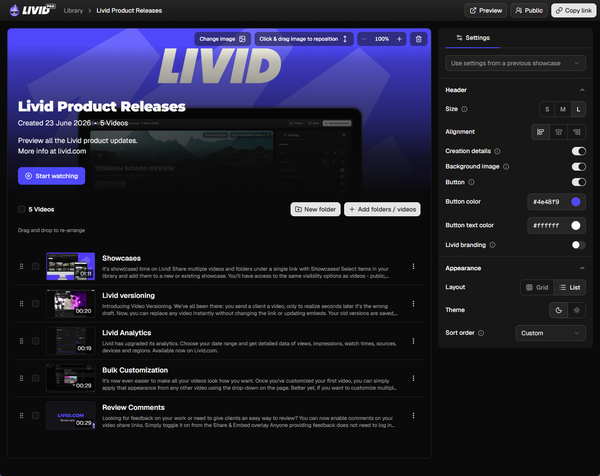
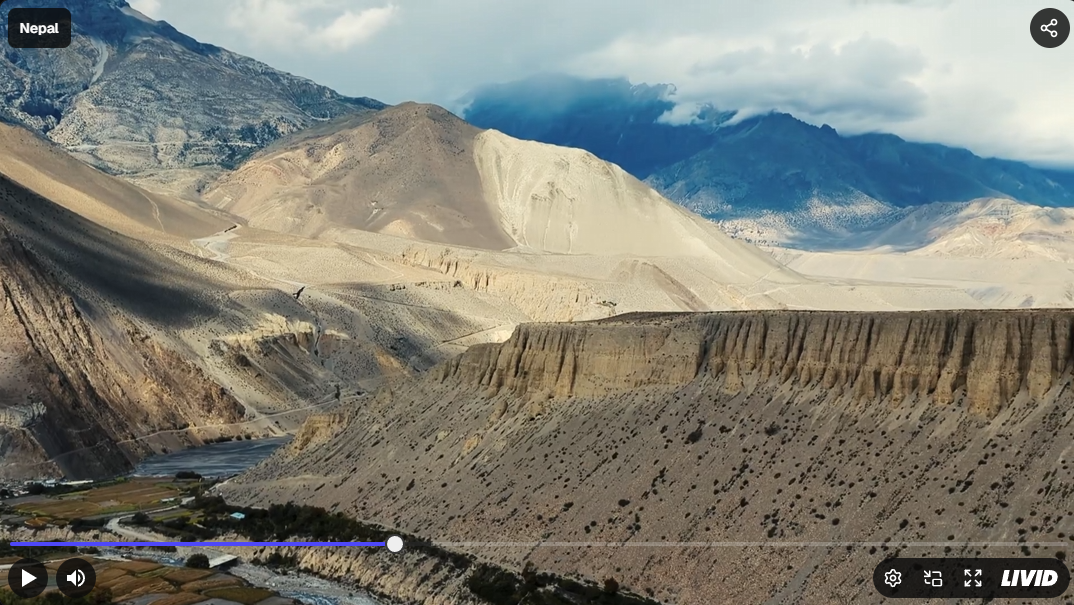
We built Livid to bring a bit of soul back to video hosting. You get a fully customizable, ad-free player with total control over branding for $10 a month. Password-protected sharing, timestamped reviews, a clean embed experience and domain protection are all included at every paid tier. No features held hostage behind $300+/year plans.
We also built the L.O.V.E. tool (Livid One-click Video Exporter) to pull your entire Vimeo library, including folders and metadata, automatically. It's free, runs on Windows and Mac, and removes the biggest barrier to switching.
Live streaming: No. Livid is focused entirely on video-on-demand hosting.
API/Developer notes: No API currently
Pricing: Free tier available. Pro plan is $10/month (billed annually) or $16/month on a flexible monthly contract.
Cons: No live streaming or API. If that's a requirement, look further down this list.
Verdict: The best value Vimeo replacement for individuals and small businesses who need a clean, professional player without enterprise baggage.
2. Wistia
Best for: Marketing teams who need granular viewer data tied to their CRM.
Wistia practically invented video heatmaps and video SEO. If your primary goal is tracking exactly which second a prospect dropped off so you can trigger a HubSpot workflow, this is your platform. The analytics depth is genuinely unmatched.
The catch: you're paying for it. The features most marketing teams actually need live on the $79/month plan. Bandwidth caps can also sting as your video library scales, so keep a close eye on your usage.
Live streaming: No.
API/Developer notes: Well-documented API with strong integrations for marketing automation platforms.
Pricing: Starts at $24/month, but the plan you actually want is $79/month.
Cons: Expensive for what most people use. Bandwidth limits on lower tiers.
Verdict: Buy Wistia if viewer analytics drive your revenue. If you just want a clean player on your homepage, it's overkill. Read our Vimeo vs. Wistia breakdown for a deeper comparison.
3. YouTube
Best for: Anyone who needs maximum reach and discovery, and doesn't mind the trade-offs.
We love YouTube. It's the world's second-biggest search engine and unbeatable for organic audience discovery. But embedding a YouTube video on your business website is a Trojan Horse. The algorithm will happily pause your product demo to show an ad for your direct competitor. Related video suggestions pull viewers away from your site.
Use YouTube to get discovered. Use a proper ad-free host on your website to close the deal.
Live streaming: Yes, with full native support.
API/Developer notes: Extensive public API, though terms of service restrict certain commercial uses.
Pricing: Free.
Cons: Ads, competitor recommendations in embeds, limited player customization, no content protection.
Verdict: Unbeatable for social reach. Terrible for professional website embeds. Read our Vimeo vs. YouTube for a deeper comparison.
4. Dacast
Best for: Professional live streamers, broadcasters, and organizations running large-scale virtual events.
Dacast is a heavy-duty platform built around live streaming and global content delivery. It runs on Akamai's CDN, which means reliable, low-latency delivery worldwide, including solid coverage in Asia. If you're running 24/7 streams, multi-camera live events, or need China-specific delivery, Dacast takes this seriously.
The trade-off is complexity. The interface is designed for broadcasters, and the learning curve reflects that. If you just need to embed a product demo, this is too much platform.
Live streaming: Yes. This is Dacast's core strength.
API/Developer notes: Full API access for programmatic stream management and video delivery.
Pricing: Starts at $39/month with strict storage caps on the base plan.
Cons: Complex UI. Not intuitive for non-technical users. Storage limits are tight at lower tiers.
Verdict: A solid choice for professional live streaming. Overkill for standard video-on-demand hosting.
5. Frame.io
Best for: Video production teams who need frame-accurate feedback and version control.
Frame.io is the industry standard for video collaboration. It's Adobe-owned, deeply integrated with Premiere Pro and After Effects, and the commenting tools are genuinely best-in-class for editorial review workflows.
But it's a production tool, not a hosting platform. The player isn't designed for embedding on landing pages or customer-facing websites. Use Frame.io to make your videos, then host them somewhere else.
Live streaming: No.
API/Developer notes: API available, primarily focused on workflow automation and integration with editing tools.
Pricing: $15/user/month. Gets expensive quickly for larger teams.
Cons: Not built for public-facing video hosting. No embed customization to speak of.
Verdict: Incredible for the editing process. Terrible for your website. Read our Vimeo vs. Frame.io breakdown for a deeper comparison.
6. Uscreen
Best for: Creators building subscription-based video businesses with dedicated apps.
Uscreen lets you build your own Netflix. Custom mobile and TV apps, subscription management, community features, and a full content management system designed for membership-based video libraries. If your entire business model is selling access to a video catalog, Uscreen gives you the infrastructure out of the box.
The cost is significant, though. On top of the monthly platform fee, Uscreen takes a cut of your subscriber revenue. For a deeper look at how this stacks up, check our guide to the best platforms for paid communities.
Live streaming: Yes, with native support for live events within membership platforms.
API/Developer notes: API available for subscriber management and content delivery automation.
Pricing: Starts at $49/month, plus a percentage of subscriber revenue.
Cons: Expensive. Revenue-sharing model cuts into margins. Not suited for standard website hosting.
Verdict: Great if you're building a subscription video business. Not what you need for embedding videos on a marketing site.
7. Spotlightr
Best for: Course creators and coaches who need aggressive content protection.
Formerly known as vooPlayer, Spotlightr focuses hard on preventing piracy. Dynamic watermarking, HLS encryption, domain-restricted playback, and screen-recording detection are all part of the package. If your revenue depends on keeping paid content behind a wall, these protections matter.
The trade-off is interface complexity. The feature density makes the platform feel heavier than simpler hosts, and setup takes more time.
Live streaming: No.
API/Developer notes: API available for integration with course platforms and LMS tools.
Pricing: Starts at $13/month (billed annually) or $15/month on a flexible monthly contract.
Cons: Feature-dense UI with a steeper learning curve. Heavier than necessary if you just want a clean embed.
Verdict: Strong pick if content protection is your top priority. Too much platform for simple hosting needs.
8. SproutVideo
Best for: Small marketing teams who want real analytics without Wistia's price tag.
SproutVideo sits in an interesting gap. You get engagement heatmaps, viewer-level tracking, and lead capture forms at a fraction of what Wistia charges. If your team needs to know who watched what and for how long, but can't justify $79/month for the privilege, SproutVideo delivers the core analytics that matter.
Privacy controls are solid, too. Domain-restricted embeds, password protection, and IP-based restrictions come standard. It's a surprisingly complete package for the price.
The trade-off is bandwidth. SproutVideo's base plan caps you at 500 GB of bandwidth, which gets tight fast if your videos get real traffic. If your library is growing or your videos get embedded across high-traffic pages, that math matters.
Live streaming: No.
API/Developer notes: Full API access for video management and analytics retrieval.
Pricing: Starts at $10/month (billed annually) or $14/month on a flexible monthly contract.
Cons: Bandwidth caps are restrictive compared to competitors at the same price. Player customization is functional but not as polished as dedicated design-first platforms.
Verdict: The best budget alternative to Wistia if analytics are your priority. Just watch your bandwidth ceiling closely.
9. Bunny.net
Best for: Developers and technical teams who want raw infrastructure at rock-bottom prices.
Bunny.net is a CDN that happens to handle video. It's absurdly cheap, globally distributed, and blazing fast. If you have a developer on staff who can wire it up, the price-to-performance ratio is unbeatable.
The catch: there's no polished dashboard, no drag-and-drop uploader, and no hand-holding. You're buying infrastructure, not a product. There's no built-in player UI out of the box. You pay for exactly what you use, with no tiered subscriptions forcing you into plans you don't need. Expect to read documentation.
Live streaming: Yes, via Bunny Stream.
API/Developer notes: Full API access. This is fundamentally an API-first platform.
Pricing: Variable, starting around $0.01/GB. Pure pay-as-you-go. No monthly minimums.
Cons: Requires technical expertise to set up and manage. No consumer-friendly interface. You're building your own video experience on top of raw CDN pipes.
Verdict: A steal if you have a developer. A nightmare if you don't.
10. Gumlet
Best for: SaaS companies and developers building video features into their own products.
Gumlet provides the technical infrastructure for video delivery: automated transcoding, adaptive bitrate streaming, and well-documented APIs and SDKs. It's designed for teams that need video as a component inside their own application rather than a standalone hosting solution.
The platform now includes live streaming support alongside its VOD infrastructure, which makes it more versatile than pure transcoding services. A pay-as-you-go option is also available if you'd rather avoid fixed monthly commitments.
For non-technical users, the lack of a consumer-friendly interface makes Gumlet a poor fit. This is a developer tool first.
Live streaming: Yes.
API/Developer notes: Comprehensive API and SDK library designed for programmatic video management. This is Gumlet's primary interface.
Pricing: Starts at $15/month, with pay-as-you-go pricing also available.
Cons: Lacks the usability non-technical users expect from a video host. Content protection is basic compared to platforms like Spotlightr.
Verdict: Excellent utility for building video into your own app. Not the right tool for standard hosting or embedding.
11. Kaltura
Best for: Universities, education institutions, and large enterprises with complex media management needs.
Kaltura is the video platform that runs half the universities you've heard of. It's open-source at its core, which means it's wildly customizable if you have the engineering resources to take advantage of that. Deep LMS integrations with Canvas, Moodle, Blackboard, and the rest of the usual suspects make it the default choice for institutions managing thousands of hours of lecture recordings, virtual classrooms, and internal training libraries.
Content protection is serious here. DRM, access controls, and compliance features are built for organizations that answer to IT security committees. Live streaming works at scale, supporting everything from single webinars to campus-wide broadcast events.
The flip side: you're not signing up for Kaltura with a credit card. Pricing is custom, implementation requires a dedicated team, and the onboarding timeline is measured in weeks, not minutes. If you're an individual creator or a small business, this platform isn't built for you and doesn't pretend to be.
Live streaming: Yes, with support for large-scale institutional and corporate events.
API/Developer notes: Full API access with extensive documentation. Kaltura's open-source architecture makes deep customization possible for teams with the resources to build on it.
Pricing: Custom/enterprise only. No self-serve plans. Expect to talk to a sales team.
Cons: Requires significant implementation resources. No self-serve pricing. Overkill for anything smaller than an institution or large enterprise. The interface reflects its complexity.
Verdict: The go-to platform for education and corporate learning at scale. If you don't have a procurement department, keep scrolling.
12. Brightcove
Best for: Fortune 500 media companies and global broadcasters who need enterprise-grade video infrastructure.
Brightcove is what you deploy when video isn't a feature on your website but the core of your business. Major media companies, global broadcasters, and large corporations use it to deliver video at massive scale with the reliability and analytics depth those budgets demand.
The standout differentiator is server-side ad insertion (SSAI). Unlike client-side ad tech that viewers can block, SSAI stitches ads directly into the video stream. If your business model depends on ad revenue from video content, this is the technology that protects it. Brightcove's monetization toolkit also includes subscription and pay-per-view options for publishers who want multiple revenue streams.
Global CDN delivery is rock solid, analytics go deep enough to satisfy any data team, and content protection includes studio-grade DRM. The platform checks every enterprise box.
The barrier to entry is the price. You're looking at $500+/month as a starting point, and that's before custom integrations. There's no free tier, no indie-friendly plan, no way to casually try it out. Brightcove is built for organizations with dedicated video teams and the budgets to match.
Live streaming: Yes, with enterprise-grade reliability and global CDN support.
API/Developer notes: Full API access with comprehensive documentation for programmatic video management, analytics, and ad integration.
Pricing: $500+/month. Custom enterprise pricing. Sales conversation required.
Cons: Prohibitively expensive for small businesses and creators. Complex implementation. You need a dedicated team to get real value from it.
Verdict: The industry standard for enterprise media and broadcasting. If you're not operating at Fortune 500 scale, the price tag alone rules it out.
Best Vimeo Alternative by Use Case
Not every platform works for every workflow. Here's a quick reference for matching your use case to the right tool.
Filmmakers and independent creators need ad-free playback, a customizable player, and pricing that doesn't punish growth. Livid is built for exactly this.
Marketing teams focused on conversion analytics, heatmaps, and CRM-connected video data should look at Wistia. The premium is worth it if viewer behavior data directly informs your pipeline. If Wistia's pricing is too steep, SproutVideo delivers core analytics at a fraction of the cost.
Live event producers and broadcasters need reliable global streaming with low latency. Dacast, backed by Akamai's CDN, is the strongest option here.
Course creators and membership operators selling access to video libraries should evaluate Uscreen for full subscription management, or Spotlightr for aggressive content protection. Read our full guide to the best platforms for paid communities for a detailed comparison.
Enterprise organizations with dedicated technical teams and large-scale media delivery needs should consider Kaltura for education and corporate learning, or Brightcove for media monetization and global broadcasting. Both require significant budgets and implementation resources. Kaltura's open-source core and deep LMS integrations make it the stronger pick for universities and training departments. Brightcove's server-side ad insertion and monetization tools make it the better fit for media companies built around video revenue.
Developers building video into their own products should evaluate Bunny.net for raw CDN performance at minimal cost, or Gumlet for automated transcoding, SDK availability, and API-first video management. Bunny.net is the cheaper option if you just need infrastructure. Gumlet is the better fit if you need transcoding and adaptive streaming handled for you.
Full Feature Comparison Table
| Feature | Vimeo | Livid | Wistia | YouTube | Dacast | Bunny.net | Frame.io | Gumlet | Uscreen | Spotlightr | SproutVideo | Kaltura | Brightcove |
|---|---|---|---|---|---|---|---|---|---|---|---|---|---|
| Best For | Enterprise | Small Biz / Creators | Marketing Teams | Social Reach | Pro Live Streaming | Developers | Editors | SaaS / App Builders | Membership | Content Protection | Analytics on a Budget | Education / Enterprise | Enterprise Media |
| Monthly Cost | $12 ($20 monthly) | $10 ($16 monthly) | $79 | Free | $39 | Variable (~$0.01/GB) | $15/member | $15 | $49 | $13 ($15 monthly) | $10 ($14 monthly) | Custom | $500+ |
| Storage Limit | 2TB | 2TB | 500 items | Unlimited | 500 GB | Variable | 2TB | 4000 mins | Varies | Varies | 500 GB | Custom | Custom |
| Bandwidth Cap | 2TB | 3TB | 1TB | None | 2.4TB | None | None | 2TB | Varies | Varies | 500 GB | Custom | Custom |
| Live Streaming | Yes | No | No | Yes | Yes | Yes | No | Yes | Yes | No | No | Yes | Yes |
| API Access | Yes | No | Yes | Yes | Yes | Yes | Limited | Yes | Yes | Limited | Yes | Yes | Yes |
| Content Protection | Basic | Basic | Basic | None | Basic | Basic | None | Basic | Advanced | Advanced | Advanced | Advanced | Advanced |
| Player Branding | Expensive ($41/mo plan) | Fully Custom | Fully Custom | YouTube Logo | Custom | Custom (Technical) | Custom | Custom | Custom | Custom | Custom | Custom | Custom |
| Ad-Free | Yes | Yes | Yes | No | Yes | Yes | Yes | Yes | Yes | Yes | Yes | Yes | Yes (SSAI available) |
| Migration Tool | N/A | 1-Click Import | Manual | Manual | Manual | Manual | Manual | Limited | Manual | Manual | Manual | Manual | Manual |
How to Migrate Away from Vimeo (Without Losing Your Mind)
The hardest part about leaving a legacy platform is the vendor lock-in. You've spent years building a library, organizing folders, and adding metadata. The thought of manually downloading hundreds of files just to re-upload them somewhere else is exactly why people stay trapped, even when they know they should leave.
We recognized this immediately, which is why we built a dedicated escape route.
The Livid One-click Video Exporter (L.O.V.E.) is a free tool available on Windows, Mac, and Linux. It connects to your Vimeo account and bulk exports your entire library. You can either download the files locally or push them straight into Livid. When you import directly, it automatically recreates your folder structures and preserves all metadata, so you don't lose your organization.
If your website is built on WordPress, we also have a plugin that scans your entire site for Vimeo embeds and replaces them with Livid embeds in bulk. No hunting through individual pages, no broken videos on old blog posts. One sweep, and your whole site is updated.
It requires zero technical knowledge and takes the pain out of moving platforms. Download LOVE.
Frequently Asked Questions
What is the best free alternative to Vimeo?
YouTube offers unlimited free hosting with massive organic reach, but shows ads and limits player control. Livid offers a free tier with ad-free playback and a clean embeddable player, no credit card required. Best free option depends on whether you prioritize reach or a professional embed experience.
Is there a cheaper alternative to Vimeo?
Yes. Livid starts at $10/month with 2TB storage and 3TB bandwidth, compared to Vimeo's $12/month for 2TB storage and only 2TB bandwidth. Livid also includes full player customization at every paid tier, something Vimeo locks behind its $41/month plan.
What is the best Vimeo alternative for small businesses?
Livid is purpose-built for small businesses: ad-free hosting, a fully customizable player, straightforward pricing from $10/month, and no enterprise upsell pressure. The free plan makes it easy to try before committing.
Why are so many people leaving Vimeo?
Vimeo has shifted focus toward enterprise clients, pushing features like player customization and domain-restricted embeds behind expensive tiers. The Bending Spoons acquisition in 2025 has accelerated concerns about further price hikes based on the firm's track record with other acquisitions.
Is YouTube a good Vimeo alternative?
For discovery and reach, YouTube is unbeatable. For professional website embedding, it's a poor fit. Ads, competitor recommendations, and limited player customization make YouTube risky for business sites. Use YouTube for audience building, and a dedicated host for your website.
What happens to my Vimeo videos after the Bending Spoons acquisition?
Your videos remain accessible for now, but Bending Spoons' track record suggests price increases and feature restrictions are likely. Exporting your library sooner rather than later protects you from being forced into expensive plans. Livid's L.O.V.E. tool makes this a one-click process.
What is the best Vimeo alternative for live streaming?
Dacast is the strongest option for professional live streaming, backed by Akamai's CDN for reliable global delivery. YouTube also offers solid live streaming capabilities for free, though with ads. For live events within membership platforms, Uscreen provides native support.
Read More
- Vimeo Pricing Breakdown: What You're Actually Paying in 2026
- Best Vimeo Alternatives for Paid Communities
- Vimeo vs. Wistia: Which One Do You Actually Need?
- Vimeo vs. Frame.io: Which is the best review tool?
- Vimeo vs. YouTube: Does Free really beat Paid?