
Introducing Showcases: Share Multiple Videos Under a Single Link

If you've ever needed to share more than one video at a time, you know the drill. Multiple links, a messy email, maybe a shared folder that doesn't look particularly professional. Showcases change that.
Starting today, you can group any combination of videos and folders into a single, shareable page with its own URL. One link, all your content, presented exactly how you want it.
What is a Showcase?
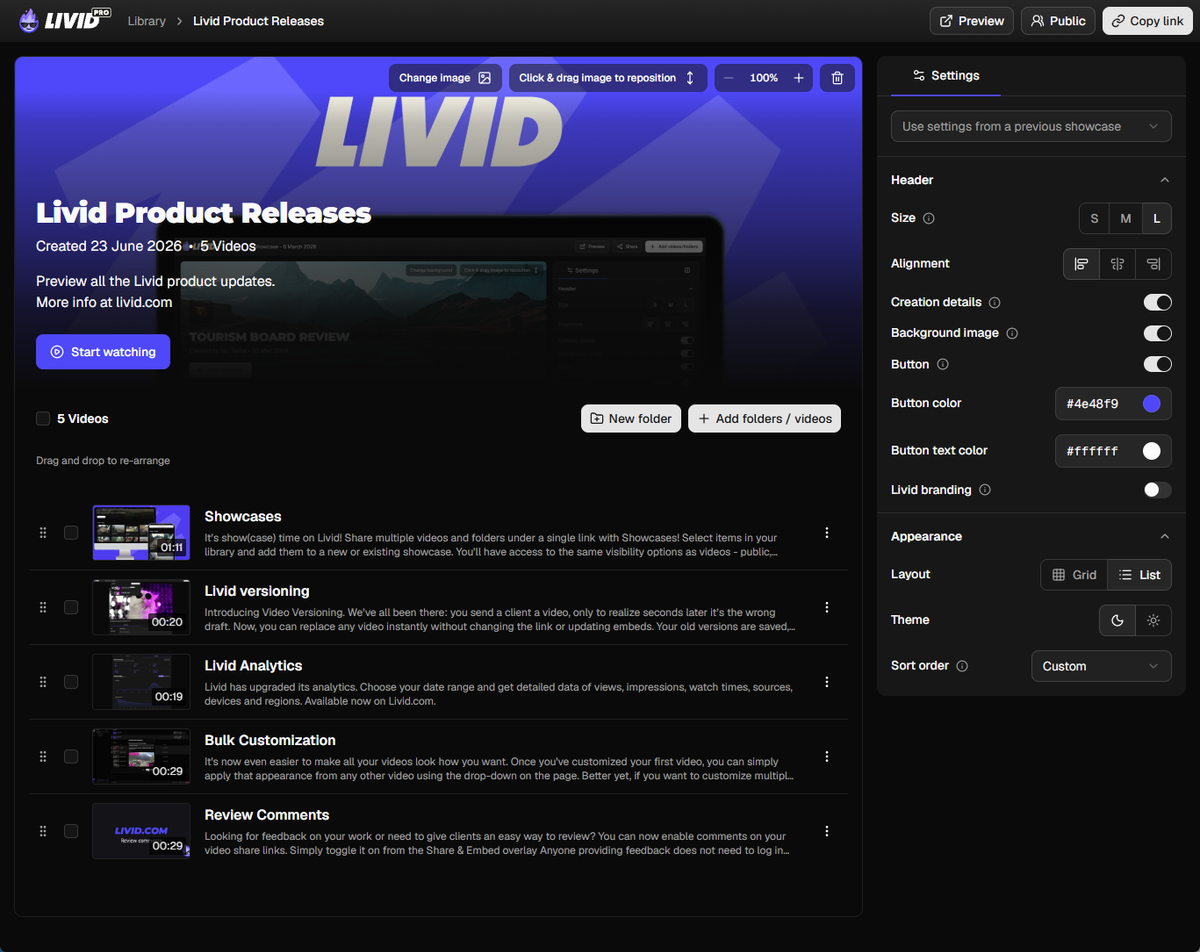
A Showcase is a curated page of videos that lives on Livid. You pick the videos, arrange them how you like, add a header image and description if you want, and share a single link. Whoever opens it sees a clean, branded page with everything in one place.
Think of it as your own mini video hub for any situation where one video isn't enough.
How it works
Creating a Showcase takes about 30 seconds:
- Head to your dashboard. You'll see the new Showcases section sitting beneath your folders.
- Click the plus icon to create a new Showcase and give it a name.
- Set your privacy preferences (the same options you're used to for individual videos).
- Add videos and folders, either from within the Showcase settings or by selecting content from your library and sending it over in bulk.
- Hit Preview to see how it looks, then copy the link and share it.
From there you can add a header image, write a description, and tweak the layout to match what you're going for. Pro users can remove Livid branding entirely and set an expiry date for a completely clean presentation.
What can you use it for?
The short answer is: anything where you need to share a collection of videos.
Client deliverables. Wrap up a project and hand over all the final videos in one link instead of a zip file or a chain of separate URLs.
Course content. Organise modules or lessons into a single page your students can work through at their own pace.
Portfolios. Put your best work in one place and share it with a link that actually looks good.
Internal training. Onboarding videos, SOPs, team updates. One link pinned in Slack beats digging through a shared drive.
Sales and demos. Bundle product walkthroughs or case study videos for a prospect to review before a call.
None of these require any technical setup. If you can upload a video, you can build a Showcase.
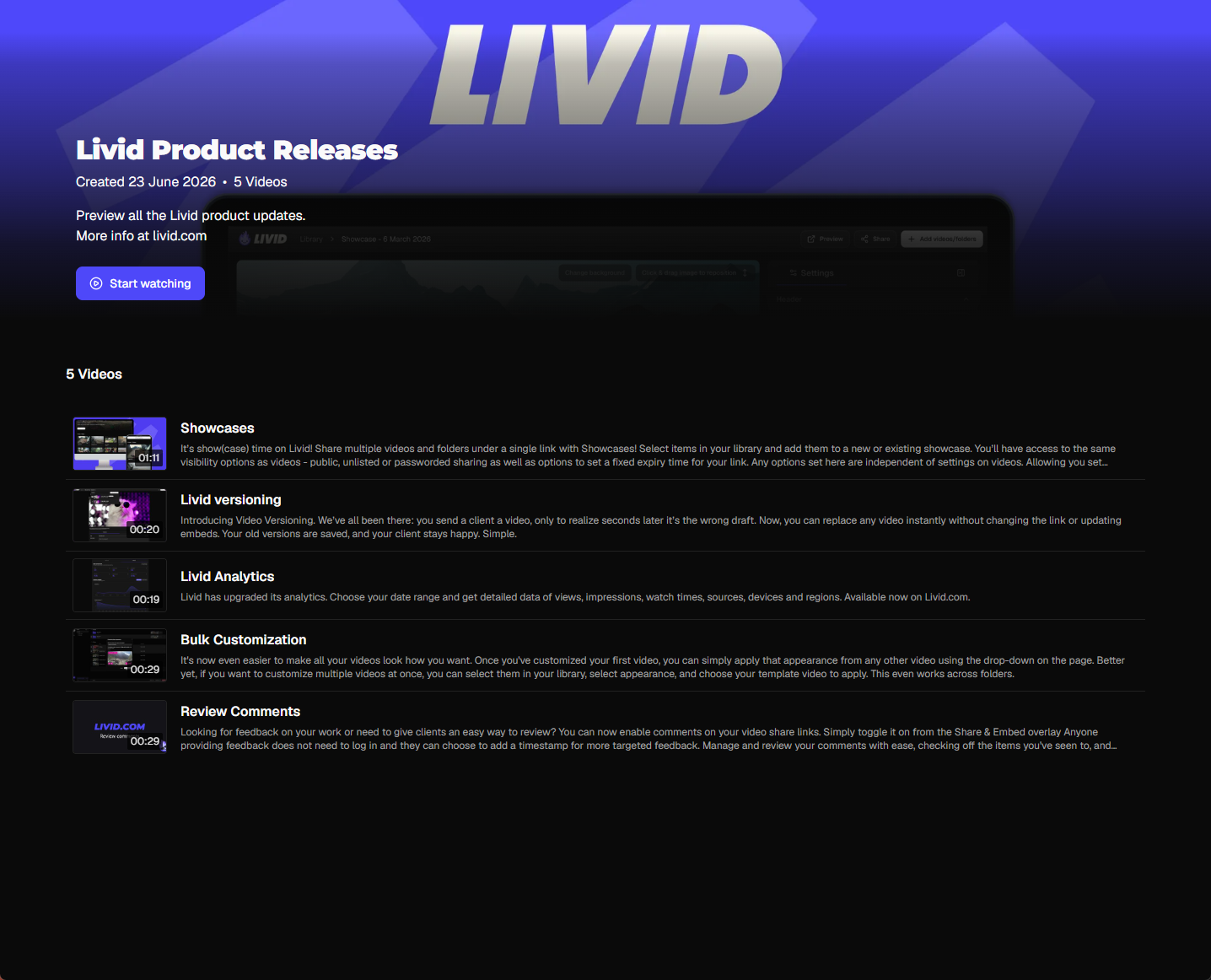
Checkout Livid's very own showcase of product updates: https://livid.com/showcase/EsG_hOU5Ns
Available on all plans
Showcases are included on every Livid plan. Pro users get the added option of removing Livid branding from their Showcase pages, use of passworded and unlisted sharing options, as well as the option to set an expiry date for a Showcase.
What's coming next
We're already working on two additions that we know people are waiting for:
Showcase embedding. Right now, Showcases are shared via link. We're building support for embedding them directly onto your website via iFrame and oEmbed, so you can drop a full video collection onto any page.
Vimeo Showcase transfers. If you're migrating from Vimeo and have existing Showcases set up there, we're building a way to bring those over using the LOVE tool so you don't have to rebuild them from scratch.
We'll share updates on both as they roll out.
Get started
Head to your dashboard and create your first Showcase. If you want a step-by-step walkthrough, we've put together a full guide in the help center: How to create and customise a Showcase.
Got questions or feedback? Reach out to us at support@livid.com.