How to Cancel Vimeo (Without Losing Your Videos) — 2026 Guide

Vimeo won't warn you that canceling could break every embed on your site and leave your video library inaccessible. Before you hit that cancel button, you need a 10-minute export plan.
This guide walks you through the full process to cancel your Vimeo subscription on every platform: desktop, iOS, Android, OTT, and Enterprise, and shows you exactly how to keep every video, view count, and embed intact. We've consolidated everything Vimeo fragments across four-plus separate help articles into one page.
Before You Cancel: The Export-First Checklist
This is the step Vimeo's own cancellation docs conveniently skip. They tell you how to cancel. They don't tell you what you'll lose if you cancel without preparing. Here's your pre-cancellation checklist: do all five and you lose nothing.
1. Download all your videos.
Use LOVE (Livid's free bulk-export tool) to pull down your entire Vimeo library, including folder structure and metadata. It's free and doesn't require a Livid account. Alternatively, you can download videos one-by-one from each video's settings page on Vimeo, but if you have more than a handful, that's an afternoon you won't get back. Here's a step-by-step guide on how to use LOVE to export your Vimeo library.
2. Audit your embedded videos.
Open a spreadsheet. List every page on your website, course platform, or client portal where a Vimeo embed lives. You'll need this list later to swap embed codes if you move to another host. If you're on WordPress, a simple search through your post content for "vimeo.com" or "player.vimeo" will surface most of them.
3. Screenshot or export your analytics.
Vimeo doesn't offer a one-click analytics export for most plan tiers. If historical view counts, engagement graphs, or heatmap data matters to you, take screenshots now. Once you downgrade, access to advanced analytics disappears.
4. Check your billing cycle end date.
Go to Account Settings → Membership and note when your current period ends. You'll retain full access until that date, so there's no rush, but there's also no reason to wait if you've already exported everything.
5. Determine how you subscribed.
This is crucial because it dictates your cancellation path. If you signed up on vimeo.com, you cancel on the web. If you subscribed through the App Store or Google Play, you must cancel through Apple or Google. Vimeo literally can't do it for you. Check your email for the original subscription confirmation to figure out which route you took.
Do these five things and you're covered. Everything else is just clicking buttons.
How to Cancel Your Vimeo Subscription (Desktop / Web)
If you subscribed directly through Vimeo's website, here's the exact path:
- Log in to your Vimeo account at vimeo.com
- Click your profile icon in the top-right corner
- Select Account Settings
- Click Membership in the left sidebar
- Scroll down and look for Cancel Membership (it may be tucked under "Manage Subscription", (Vimeo doesn't exactly put this in neon)
- Vimeo will walk you through a retention flow. Expect a discount offer and a "are you sure?" screen or two
- Confirm the cancellation
Your access continues until the end of your current billing period. You won't be charged again.
How to confirm your cancellation actually went through
Don't just assume it worked. Two things to check:
- Confirmation email: Vimeo sends one to your account email. If you don't see it within a few minutes (check spam), something didn't stick.
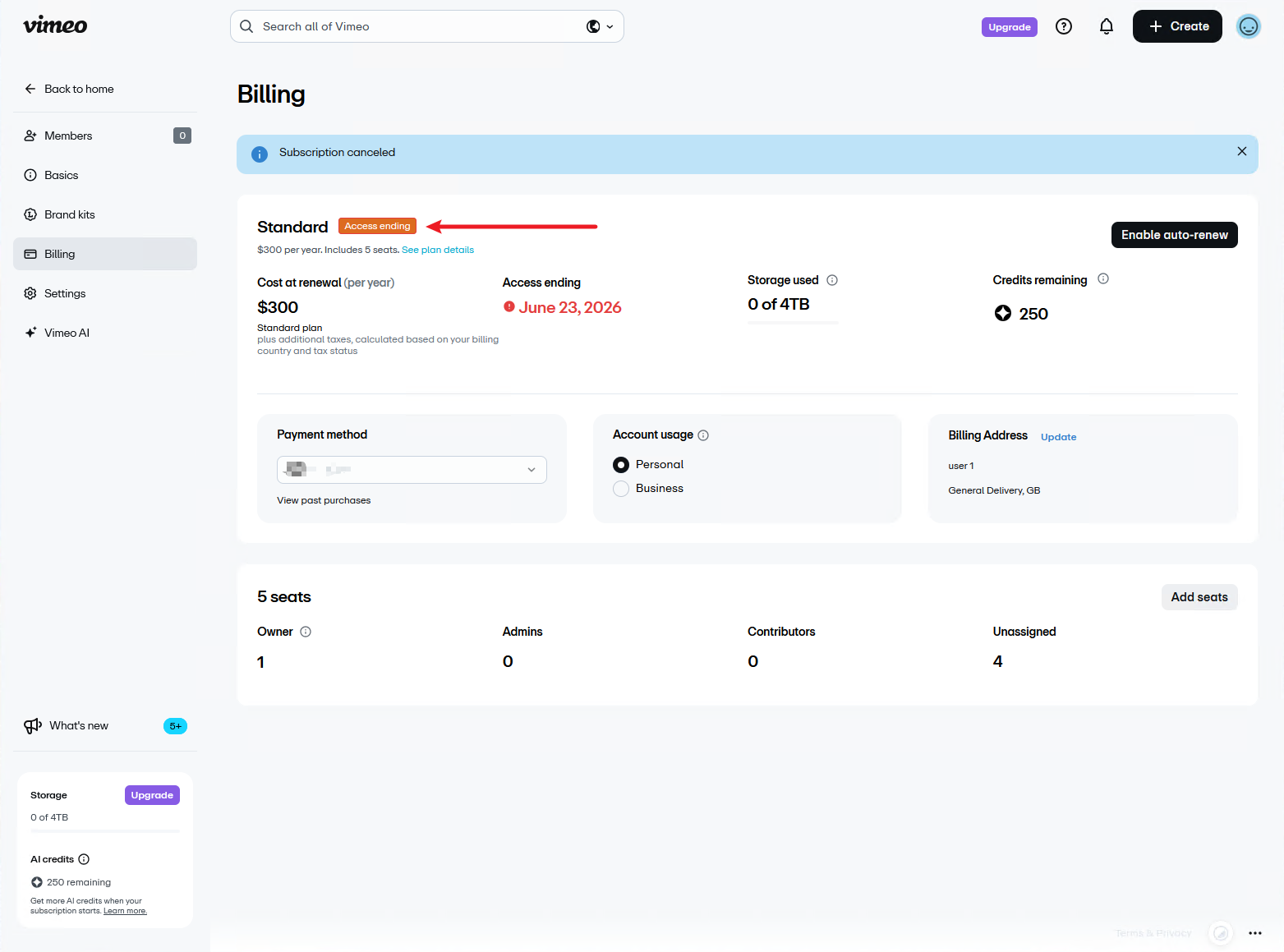
- Account status: Go back to Account Settings → Membership. Your plan should now show an "Access ending" label for your paid features. If it still shows your paid plan as active with an upcoming renewal, the cancellation didn't complete.
Can't find the cancel button?
This trips up a surprising number of people. If there's no "Cancel Membership" option on your Membership page, you almost certainly subscribed through the Apple App Store or Google Play Store. Vimeo can't cancel app store subscriptions, you need to do it through Apple or Google directly. Keep reading.
How to Cancel Vimeo on iPhone or iPad
If you subscribed to Vimeo through the App Store, canceling inside the Vimeo app or on vimeo.com won't work. You have to go through Apple's subscription management. Here's the exact path:
- Open Settings on your iPhone or iPad
- Tap your name at the top (your Apple ID)
- Tap Subscriptions
- Find Vimeo in your list of active subscriptions and tap it
- Tap Cancel Subscription
- Confirm when prompted
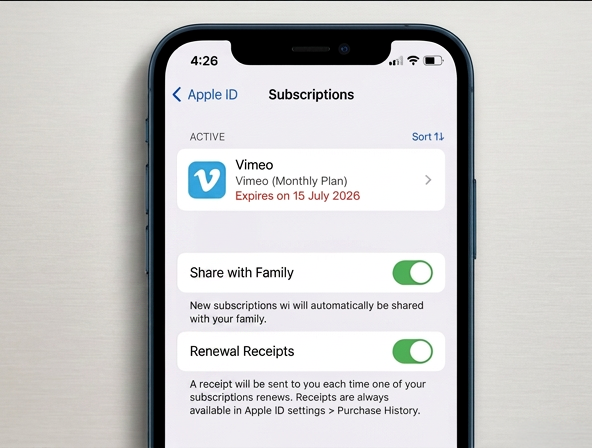
Your subscription stays active until the end of the current billing period. After that, it won't renew.
Important note on refunds: Vimeo cannot process refunds for purchases made through the App Store. If you want to request a refund for an App Store subscription, you need to go through Apple directly at reportaproblem.apple.com. Apple's refund approval is discretionary. They may or may not grant it depending on timing and usage.
How to Cancel Vimeo on Android
Same concept, different path. If you subscribed through Google Play:
- Open the Google Play Store app
- Tap your profile icon in the top-right
- Tap Payments & subscriptions
- Tap Subscriptions
- Find Vimeo and tap it
- Tap Cancel subscription
- Follow the prompts to confirm
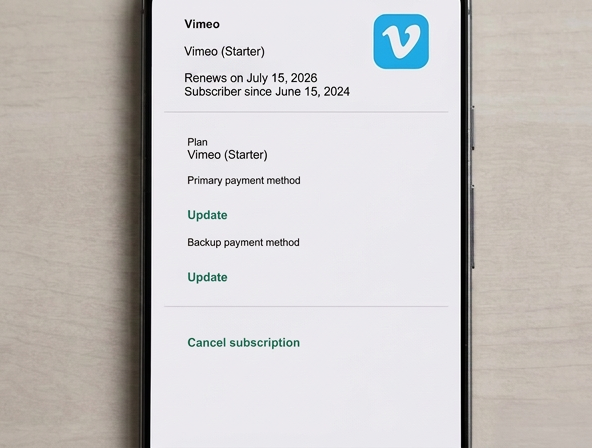
Like Apple, Google handles refunds for Play Store purchases separately from Vimeo. You can request a refund through Google Play's support, but approval isn't guaranteed. Google's refund window is typically shorter than Apple's, so act quickly if that's your intent.
How to Cancel a Vimeo OTT or Enterprise Account
These are less common but worth covering since nobody else consolidates this information.
Vimeo OTT (now part of Vimeo's broader platform): Log into your OTT admin dashboard and navigate to Manage Subscription. The cancellation flow is similar to the standard web process, but the admin interface is different from the regular Vimeo account settings.
Enterprise accounts: There is no self-serve cancellation. You must contact your Vimeo account manager directly. If you don't know who that is, reach out through Vimeo's enterprise support channel. Expect this to take a few back-and-forth emails; enterprise contracts often have specific terms around cancellation windows and notice periods.
Can You Get a Vimeo Refund?
Let's be specific here, because there's a lot of vague advice floating around.
For direct subscriptions (you signed up on vimeo.com):
Refunds are not automatic when you cancel. You can request one by going to vimeo.com/help, submitting a support request, and selecting Billing as the category. Explain your situation clearly. Vimeo's refund policy is discretionary, they may grant it, especially if you're early in a billing cycle, but there's no guarantee. For annual plans, partial refunds are particularly unlikely, though it's still worth asking.
For App Store purchases: Request through Apple at reportaproblem.apple.com.
For Google Play purchases: Request through Google Play's support.
An alternative worth knowing about: If you're on a Vimeo annual plan and switch to Livid, you can claim a Vimeo annual plan credit that offsets the cost of your remaining Vimeo commitment. It won't get your Vimeo money back, but it means you're not paying double while your Vimeo plan runs out.
What Happens to Your Videos After Cancellation
This is the section that answers the question keeping you up at night. Here's what actually happens when you cancel Vimeo:
Your account downgrades to Vimeo's free tier at the end of your billing period. Your videos aren't deleted immediately, but they may become inaccessible if your library exceeds the free tier's limits.
Here's a breakdown of what you keep versus what you lose:
| Feature | Kept on Free Tier |
|---|---|
| Videos within storage limit | ✅ Accessible |
| Videos over storage limit | ❌ Inaccessible (not deleted, but you can't view or manage them) |
| Basic playback analytics | ✅ Limited |
| Advanced analytics & heatmaps | ❌ |
| Custom player colors & branding | ❌ |
| Password protection on videos | ❌ |
| Domain-level embed restrictions | ❌ |
| Custom end screens & CTAs | ❌ |
| Team member access | ❌ |
| Priority support | ❌ |
| Video downloads (by viewers) | ⚠️ Limited |
The critical thing to understand: Vimeo doesn't purge your content on day one. But "inaccessible" is functionally the same as "gone" if you can't download, manage, or share those videos. That's why the export-first checklist matters so much.
What Happens to Your Embeds After Cancellation
This is the highest-stakes issue for anyone running a business site, course platform, or client-facing portfolio, and almost no cancellation guide covers it properly.
Here's what happens to your Vimeo embeds after you downgrade to free:
If the video stays within the free tier limits: The embed may continue to display. But custom player branding, password protection, and domain-level privacy restrictions will revert to free tier defaults. That means a video you'd locked to your domain may suddenly be embeddable anywhere. A video you'd password-protected may become publicly viewable.
If the video becomes inaccessible due to storage limits: The embed breaks entirely. Visitors to your page see a Vimeo error message instead of your video. If you have 50 videos embedded across a course site and 40 of them exceed the free tier limit, 40 of your pages just broke.
This is the strongest reason to export and re-host before you cancel, not after. If you're moving to another platform, swap the embed codes first, then cancel Vimeo.
If you're on WordPress, the Livid WordPress plugin can help you replace Vimeo embeds in bulk rather than editing every page by hand. Livid also supports video embedding with custom player settings, domain restrictions, and password protection.
Alternatives to Canceling: Pause or Downgrade
Before you cancel entirely, it's worth knowing your other options.
Downgrade to a cheaper Vimeo plan: You can switch from, say, the Business plan to the Starter plan instead of canceling. Go to Account Settings → Membership → Change Plan. This keeps your account active and some features intact.
Switch from monthly to annual billing: If the monthly price is the issue, switching to annual billing can cut your cost by 30-40%.
Pause your subscription: There is no official pause feature on Vimeo. It's cancel or keep paying.
Here's the honest reality though: if you're canceling because of Vimeo's 2026 price increases, downgrading may not solve your problem. Lower-tier plans lost key features in the restructure. The Starter plan doesn't include domain-level privacy, custom end screens, or advanced analytics. You may find yourself on a cheaper plan that doesn't actually do what you need.
Where to Move Your Video Library
If you've decided to leave, you have three realistic options. Each has real trade-offs.
YouTube: It's free and offers unlimited storage, which is hard to argue with. The catch: ads on your videos (unless you pay for Premium), no custom player, no domain-level embed restrictions, and YouTube's algorithm decides who sees your content. For public marketing content, it's great. For gated courses, client work, or anything where you need control over the viewing experience, it's a poor fit.
Self-hosting: Maximum control. You host video files on your own server or a CDN like AWS S3 + CloudFront. The trade-off is cost and complexity: bandwidth bills add up fast, you'll need to build or integrate your own player, and you're responsible for encoding, adaptive bitrate, and player maintenance. Realistic for developer teams, not for most creators or small businesses.
Livid: We're built specifically as a Vimeo alternative by the ex-StreamYard team. LOVE imports your entire Vimeo library; folders, privacy settings, metadata, in one click. Plans start at $10/month with 2TB of storage. You keep custom player branding, domain-level privacy, and password protection. We don't have live streaming yet, and our analytics are still catching up to where Vimeo's were at their peak. If those are dealbreakers, we're not the right fit. But for hosting, embedding, and protecting video, we're the most direct replacement.
For a more thorough comparison, we've reviewed all the best Vimeo alternatives side by side.
FAQs
Can I reactivate my Vimeo account after canceling?
Yes. Log back in to your Vimeo account at any time and resubscribe to a paid plan. Your videos that were on the free tier should still be there. Videos that were inaccessible due to storage limits may become accessible again once you upgrade, though Vimeo doesn't guarantee indefinite retention.
How long do I have access after canceling?
Until the end of your current billing period. If you cancel on day 3 of a monthly cycle, you have the rest of that month. If you cancel an annual plan, you have until the annual renewal date.
Will Vimeo delete my videos permanently?
Not immediately. When you cancel, your account drops to the free tier and videos beyond the storage limit become inaccessible. Vimeo's terms give them the right to remove content on inactive free accounts after an extended period, but they don't purge on a set schedule. Don't rely on this as a backup strategy, export first.
Can I cancel a Vimeo free trial?
Yes, using the same steps outlined above for your platform (web, iOS, or Android). Cancel before the trial period ends to avoid being charged. Set a calendar reminder for a day before the trial expires.
How do I know my cancellation went through?
Check for two things: a cancellation confirmation email from Vimeo, and your account status on the Membership page showing "free" with no upcoming renewal date.
What if I can't find the cancel button?
You most likely subscribed through the Apple App Store or Google Play Store. Vimeo's website can't cancel app store subscriptions. Follow the iOS or Android instructions in the sections above.
What's the difference between canceling my subscription and deleting my account?
Canceling your subscription stops future charges and downgrades you to the free tier. Your account, profile, and videos (within free tier limits) still exist. Deleting your account permanently removes your profile, all videos, and all data. If you want to delete entirely, go to Account Settings → Account → Delete Account. This is irreversible, export everything first.
If you're leaving Vimeo, don't leave your videos behind. LOVE exports your entire video library, folders and privacy settings. It's free, no account required.